 Spreadsheet QC
THE BUYER'S HANDBOOK / GUIDE
Your first LoongBuy order, from listing to delivery
A Spreadsheet helps you find the product. This guide explains what to confirm before paying, how to review arrival photos and what to check before international shipping.
01 / HOW TO USE LOONGBUY AND A SPREADSHEET
Save the listing. Keep the variant clear.
Browse, search and compare the seller
Use the category list or homepage search to find the item. Search with a product type and useful detail, such as “zip hoodie”, instead of an ambiguous nickname. Open the seller listing and compare the actual variant, size chart, available colours and item price. A product picture may show several options; it is not a promise that every option is included.
Place the purchasing order
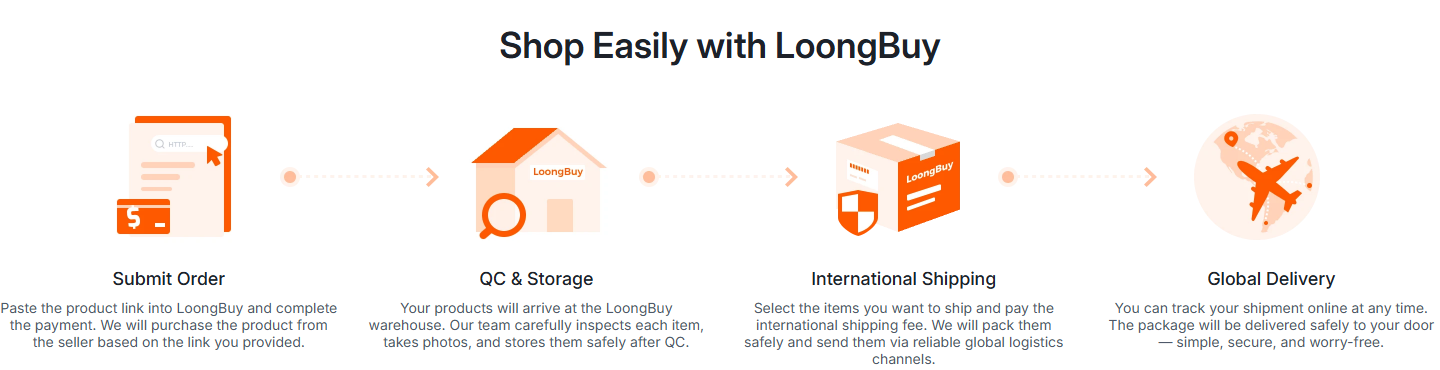
Copy the product link into the official agent site. Select the variant and quantity, record any agreed seller details, and review the first payment. Keep a copy of the order, the size chart and the listing information that matters to you. Complete payments inside your signed-in account.
Review the warehouse arrival
When the item reaches the warehouse, review the inspection result and every available photo against the order. If the colour, labelled size or visible condition is unclear, ask about it before international submission. Returns depend on the seller and applicable terms; a photo is most useful while you can still resolve a mismatch.
Submit a parcel and follow delivery
Select the stored goods you want to ship. Check whether the parcel contains restricted items, compare available routes and review the final weight, packaging, shipping price and optional insurance. Keep the parcel number and tracking record. On arrival, preserve the packaging and photograph any issue promptly.
02 / WHAT QC CAN TELL YOU
Check what is visible, and name what is missing
QC means quality control. In this buying journey it is a warehouse record of arrival condition and basic order matching. “GL” (green light) and “RL” (red light) are community shorthand for accepting or questioning an item. They are opinions, not authentication results or guarantees.
The official inspection document captured on 10 October 2026 describes basic visible checks and category-specific limits. It does not replace professional authentication, material analysis, electrical testing or trying the product on. Treat older examples as a guide to reading photos, and check the current scope in the official account.
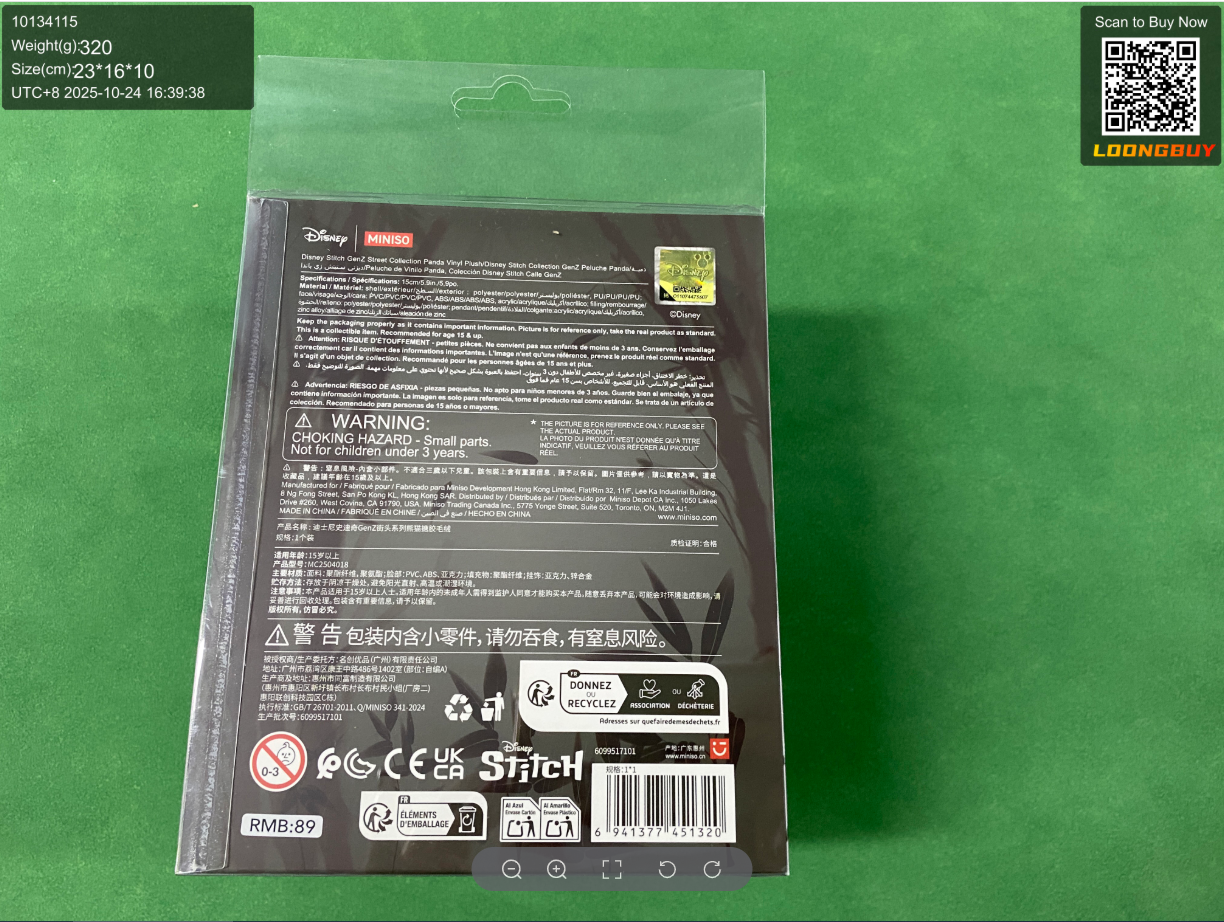
- InformationDoes the photographed label match your chosen item and order details?
- ConditionAre the visible surfaces, seams, print and packaging consistent with the listing?
- Missing evidenceWhich detail, measurement or angle would settle your remaining question?
Ask a precise question: “Please show the size label and measure chest width flat” is more useful than “Is this good?”. Requesting extra evidence may involve a fee. Confirm availability, price and the relevant return window before proceeding.
03 / BUDGET BEYOND THE ITEM
Build the total before choosing a route
The item price is one part of the purchase. Separate the seller's domestic freight, service and payment costs, optional inspection or packing services, international shipping, insurance, and any destination charges that apply. Some costs are known at ordering; others depend on the final parcel.
Compare routes using the same destination, goods, weight and dimensions. Check restrictions, tracking, compensation terms and which delivery estimate is being shown. A heavy or bulky retail box can change the quotation. Use the final account quote instead of a rate copied from an old post.
If you pay in a different currency from the listed price, compare the account conversion and payment provider's final amount. Keep the currency visible beside your saved values. Our claim tool expects goods cost and declared value in the same currency; it cannot calculate duties, insurance benefits or an actual payout.
04 / CHOOSE THE RIGHT FIT
Check the seller, the guide and the agent separately
- Choose the product and seller
- Compare the actual specification, size chart, included accessories, seller history and return terms. Look for concrete recent buyer evidence, not just repeated promotional images. Save any disclosed flaw so you can distinguish it from a new arrival issue.
- Choose the Spreadsheet
- Look for working product links, understandable categories, dates on policy advice and a clear distinction between a product photo and warehouse QC. Check a few links before relying on a large list. No curated list can guarantee availability, quality or authenticity.
- Choose the agent
- Compare total fees, eligible routes, inspection scope, support access and written compensation rules for your intended goods. Standard buying, receiving and forwarding services are common across agents; the useful difference is whether the service fits your parcel and destination.
The LoongBuy service review explains its published strengths and limitations. The agent selection notes give checks you can apply to other agents. If you need testing or a route the current service cannot provide, resolve that before committing money.
Community posts can reveal real experiences, but one successful haul is not a delivery guarantee. Match the date, route, destination and goods to your situation, then check current official terms. See the finds-list checks and seller signals for more detail.
05 / HELP WHEN SOMETHING CHANGES
Keep the evidence and use the right help route
A warehouse mismatch, a missing parcel and delivery damage need different records. Use the order-help tool to identify the relevant evidence, then contact LoongBuy through the official account with the order or parcel reference and a concise description.
Check official notices before submitting a parcel: route availability, payment instructions and seasonal operations can change. The dated notice record is historical context, not a live promotion feed. Do not rely on an old discount or quoted shipping rate.
Guide revised 14 October 2026. Official help and photo sources were captured 10 October 2026; the attempted refresh on 14 October was blocked. Check the operator's current terms before relying on a policy or paid service.
How to use the search and order-help tool
Open the tool on the Order Help page and choose warehouse mismatch, a visible QC flaw, transit loss or delivery damage. Select whether insurance was purchased. For a value comparison, enter both goods cost and declared value in the same currency; leave them empty if unknown. The result lists useful records and shows a comparison, not a payout quote. Take the evidence to official support.
Prefer a video walkthrough?
The video linked by the official LoongBuy homepage introduces the buying process. Treat any example prices or interface labels as illustrative and follow your current account controls.
Watch the LoongBuy tutorial video →